The workspace reads your contract, specifications, drawings and years of correspondence — then checks what you are about to issue against them, and keeps the record that protects you when the answer is slow. Registers, drawings, workflows and claims around it, on infrastructure you own. Built inside the delivery of a mega-project, not in a demo lab.
An RFI, a letter, a submittal cover, a claim notice. Paste it in and the workspace retrieves the clauses it relies on — the whole section, not the sentence somebody remembered — and answers six questions before the Engineer gets the chance to.
Every specification section, drawing and code the draft leans on is retrieved and read. A quotation that does not survive its own source is found here, not in the response.
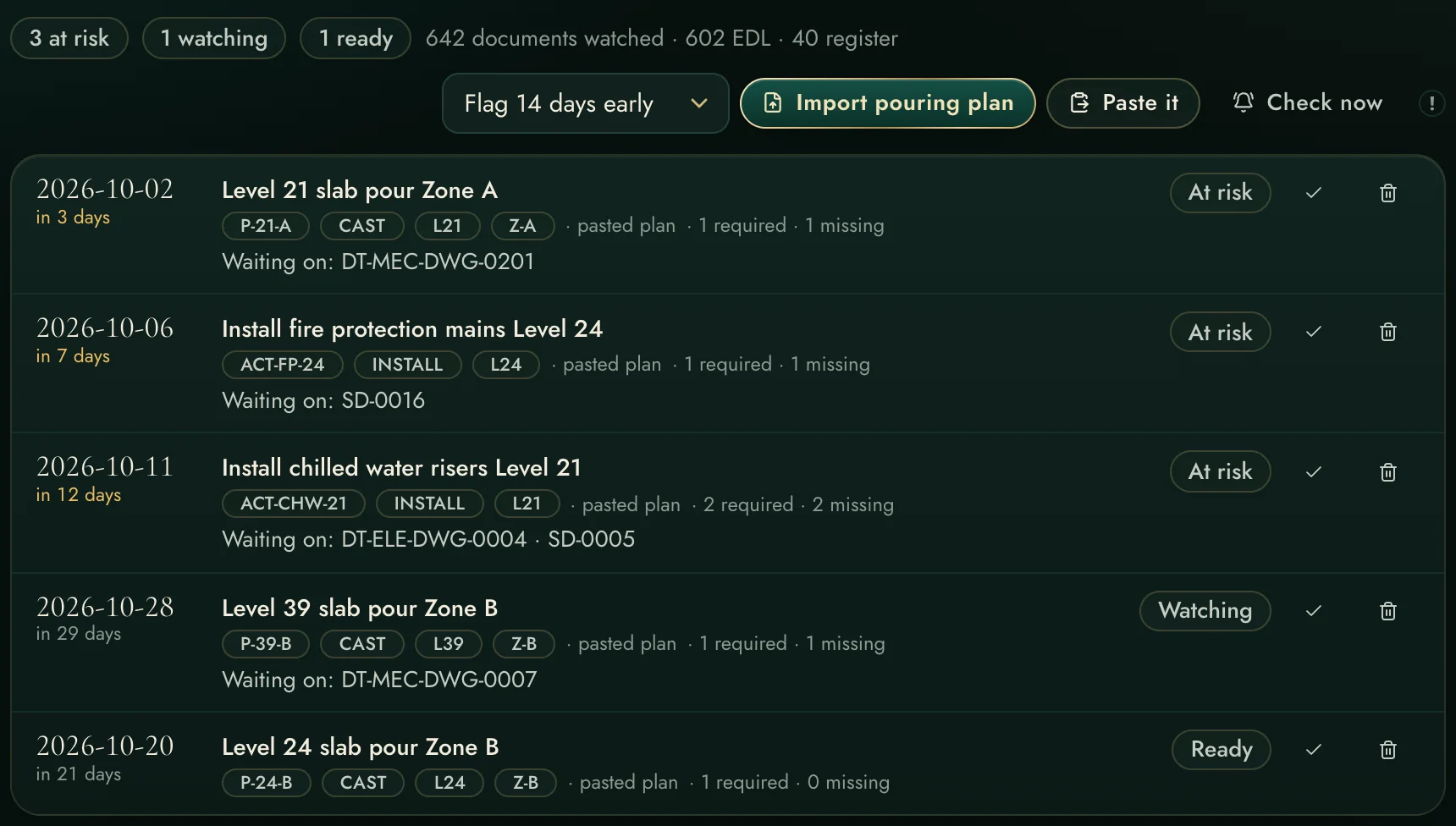
The one nobody thinks to look for: a requirement elsewhere in the same section that forbids exactly what you are proposing. A draft claiming compliance while breaching an unmentioned clause is worse than one that asks openly.
A standing register of every code the contract binds, at which edition, against which edition is actually on your shelf. A section number taken from a later edition is a rejection that looks like a technicality and costs a full cycle.
Undeclared deviations are what turn a technical discussion into a credibility problem. Declared ones get approved. The check names each one and drafts the sentence that declares it.
"No longer available anywhere" invites a reviewer to spend ten minutes disproving you, and then to read the rest of your submission with suspicion. It is replaced with what was surveyed, when, and by whom.
Without one, a six-week silence leaves no position worth arguing. The check refuses to call a draft ready until it says when an answer is needed and what that answer protects.
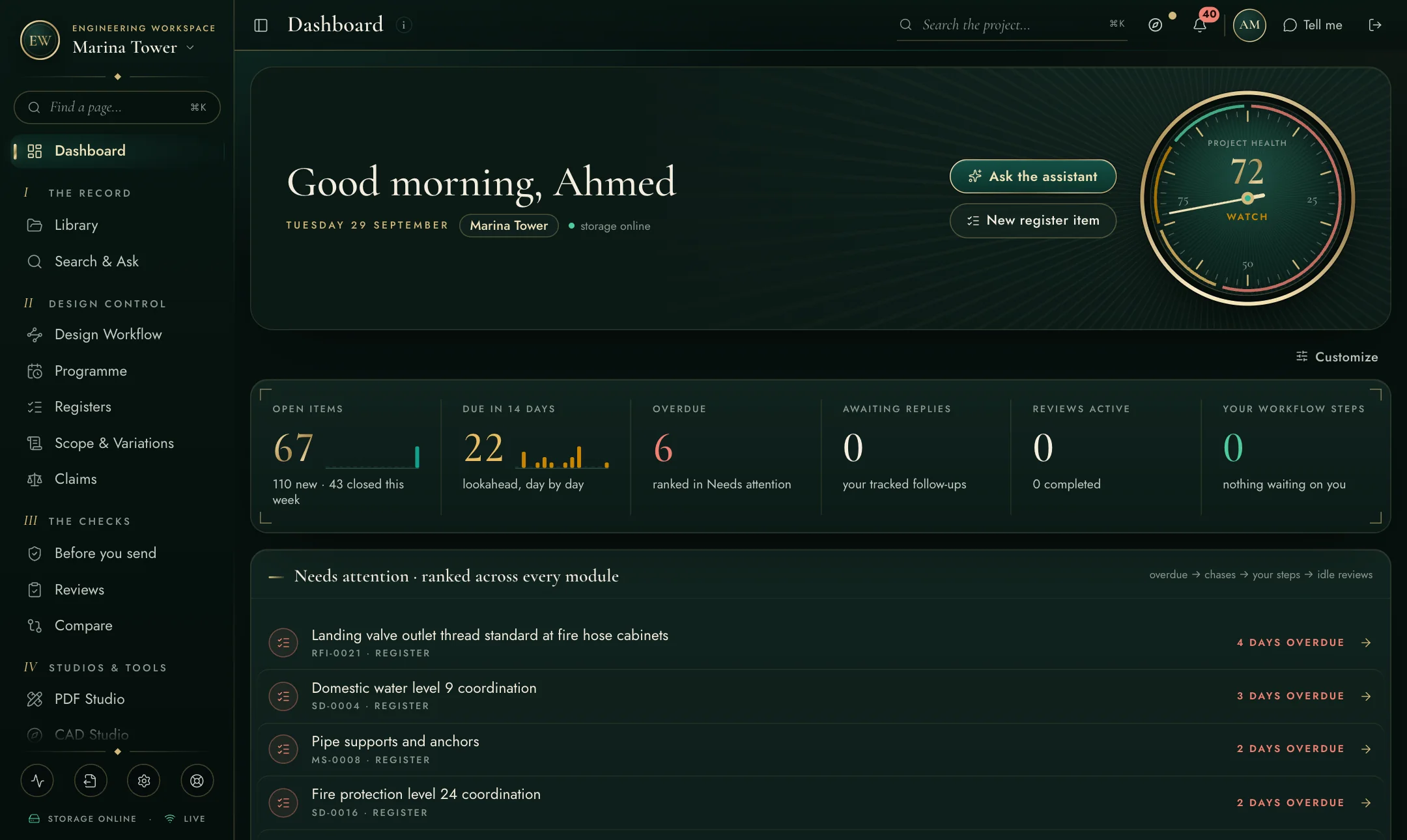
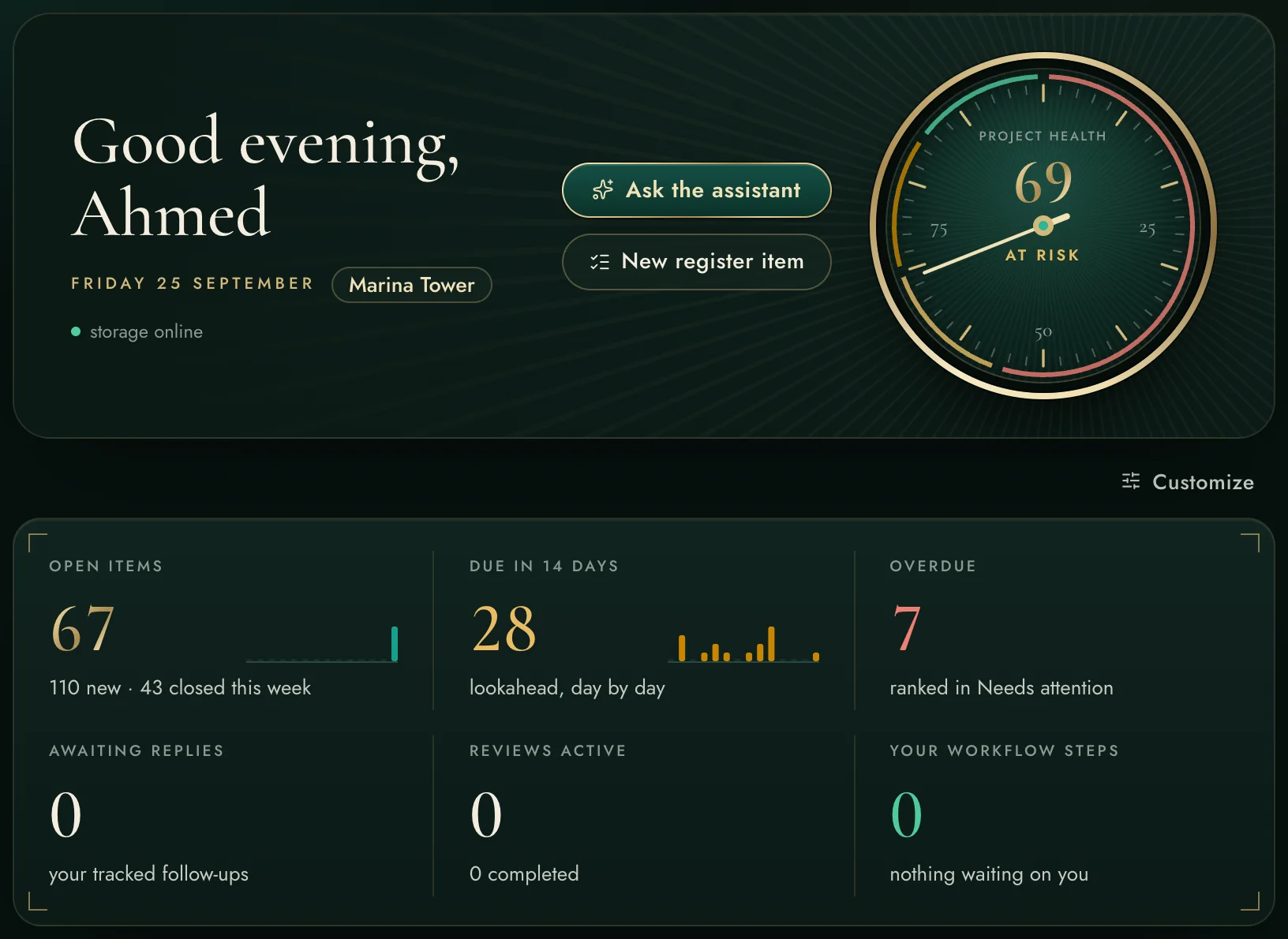
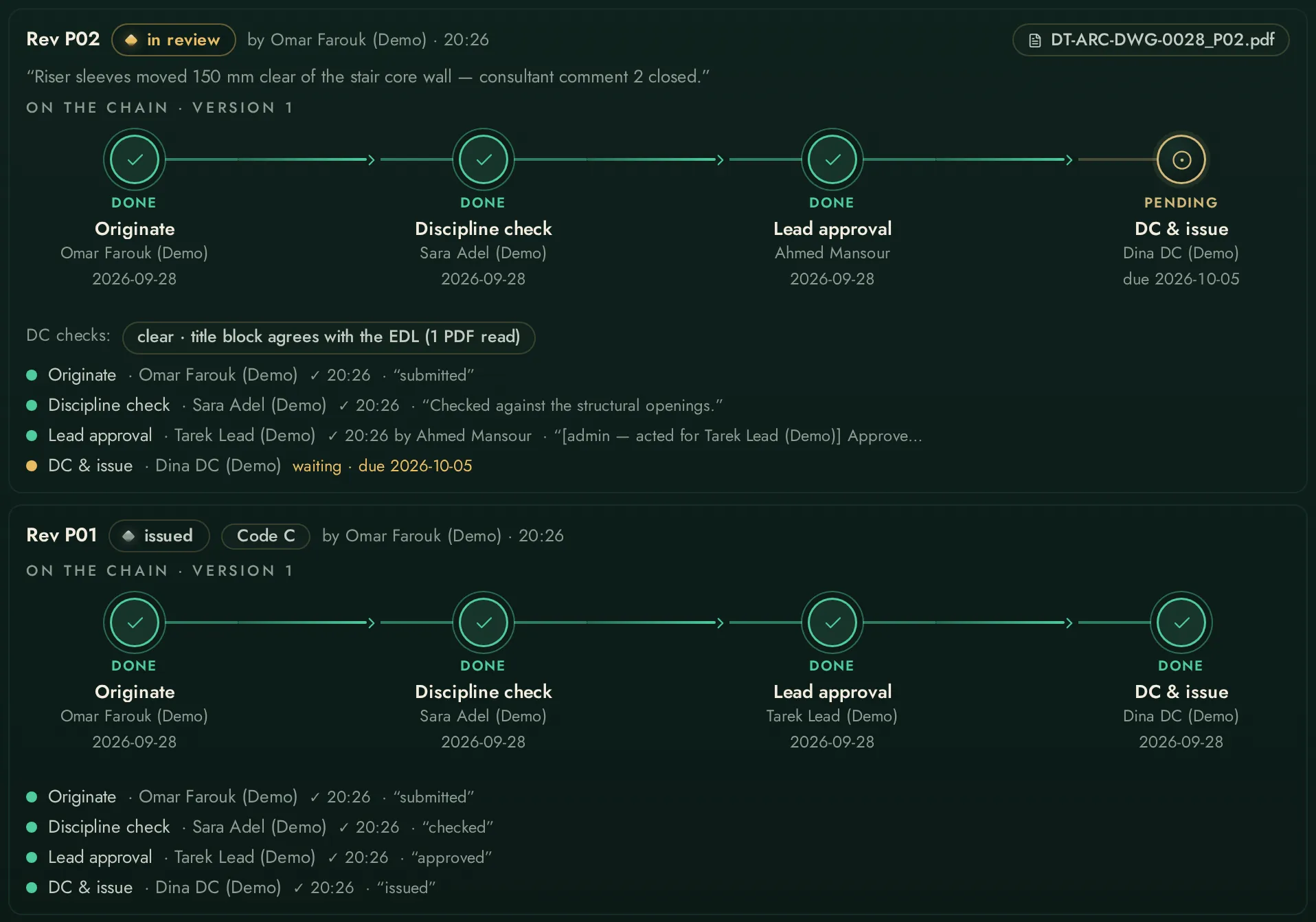
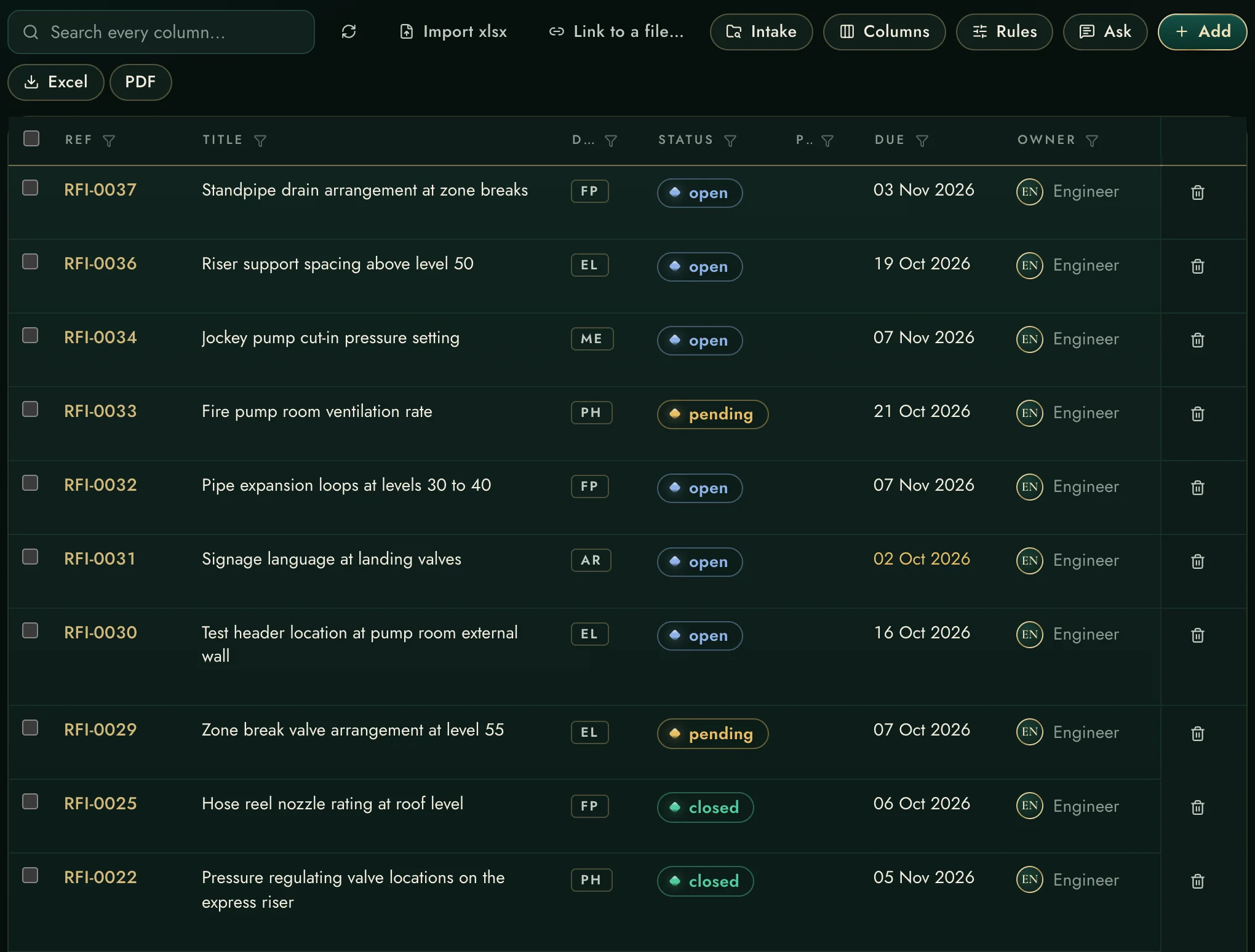
These are actual screens, not mock-ups. Every pillar has its own deep-dive page with more screenshots and detail.
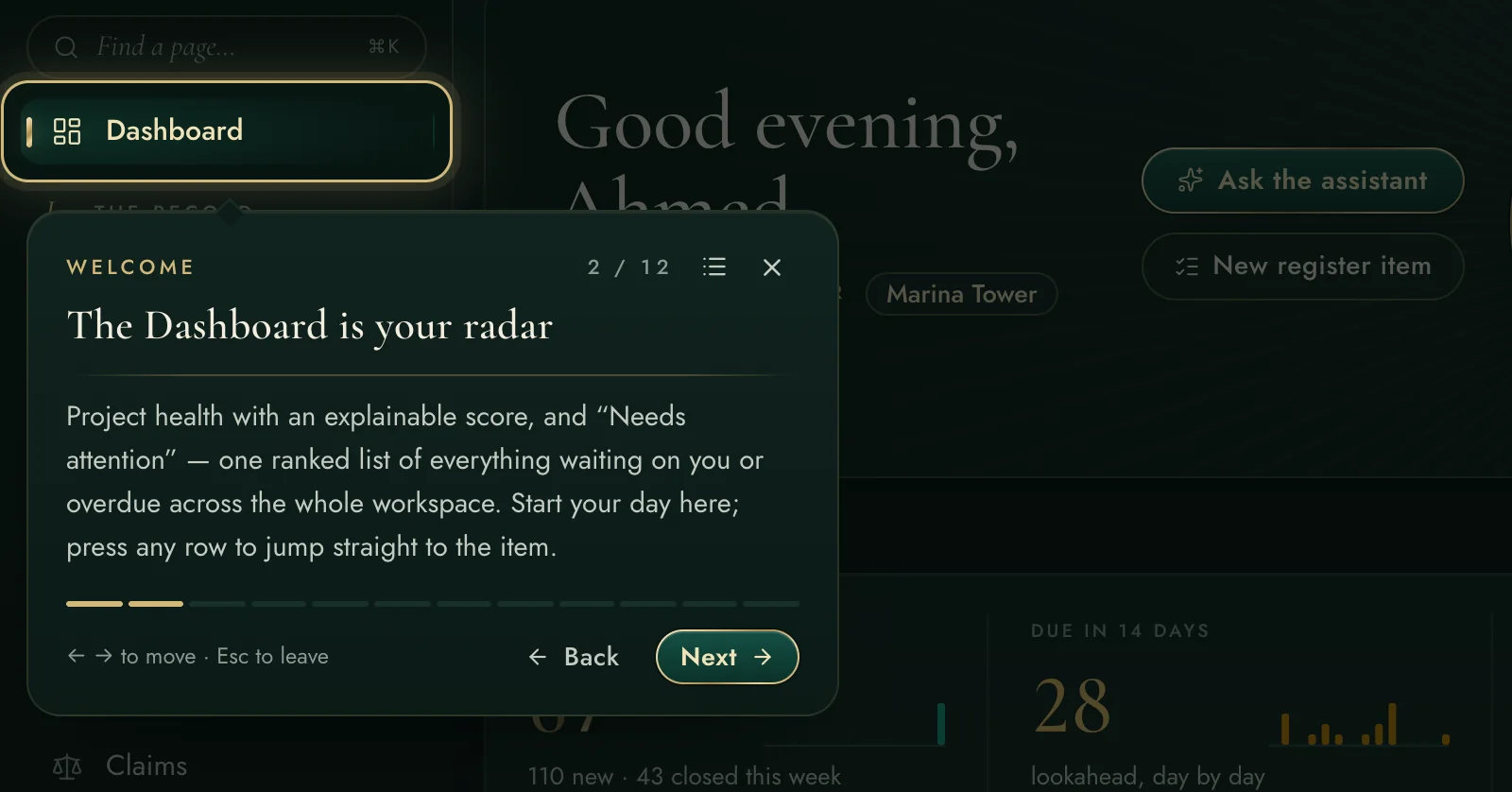
A project-health score you can interrogate, an AI morning brief, and one “Needs attention” list ranked across registers, workflows, reviews and mail.
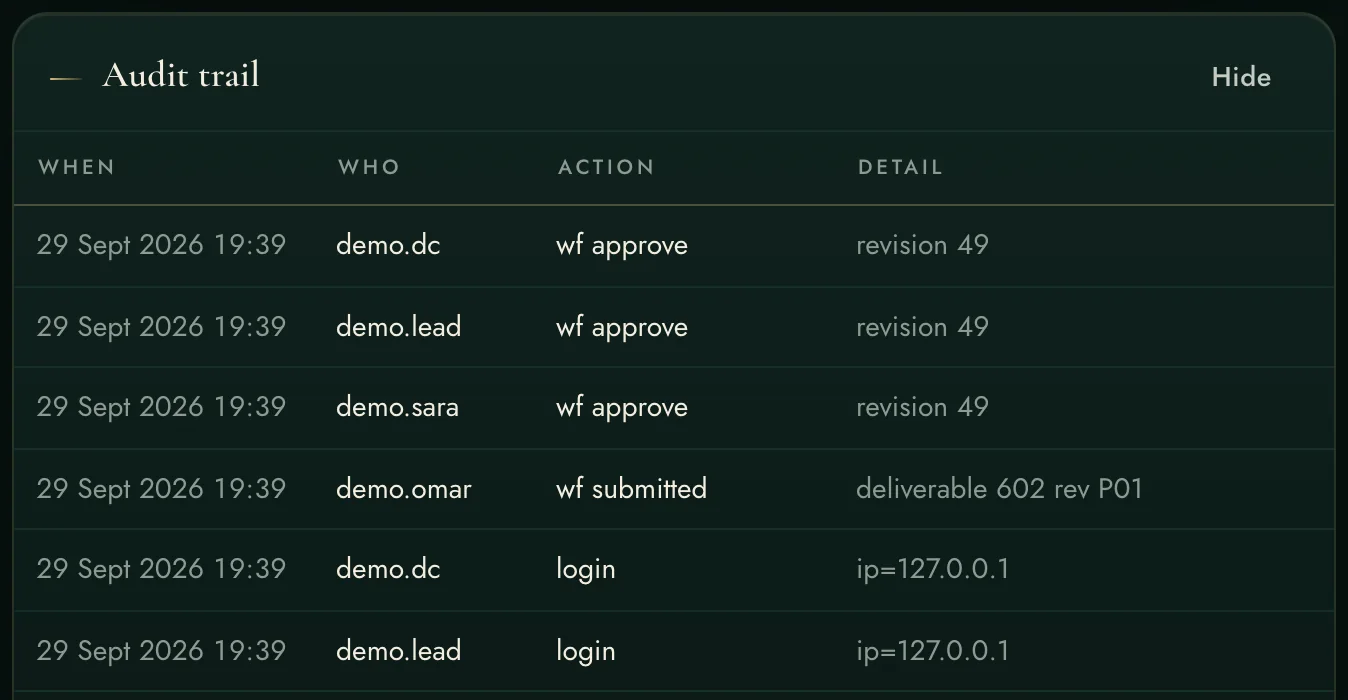
Deliverables move through real sign-off chains — originate, check, approve, DC, issue — with working-day deadlines, escalation, response codes and as-builts.
RFIs, submittals, shop drawings, risks — one consistent grid that imports your existing exports and shows who is holding what, oldest first.
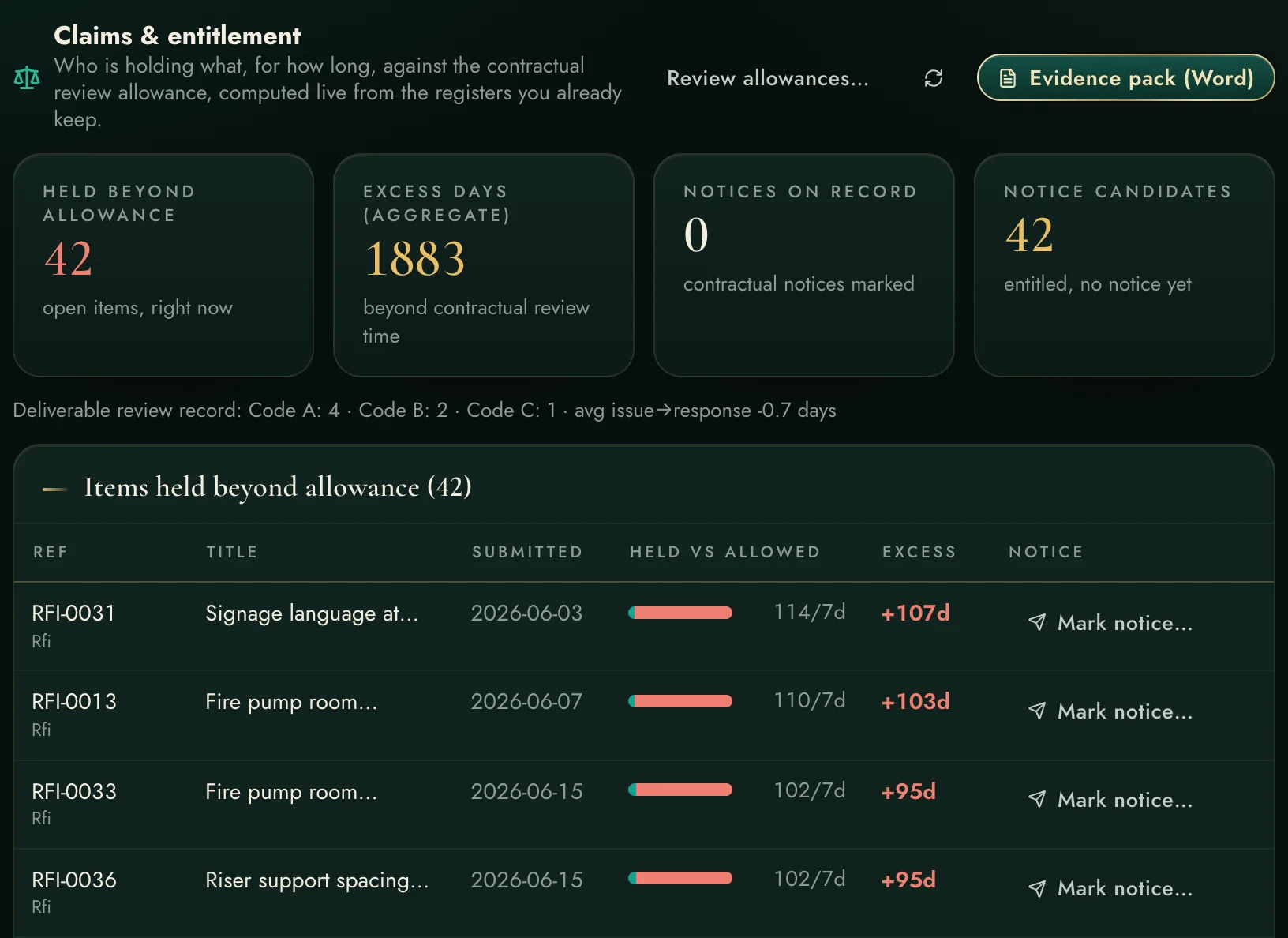
Every day a submittal sits beyond its contractual review allowance is recorded as entitlement evidence — and the monthly exhibit is one press away.
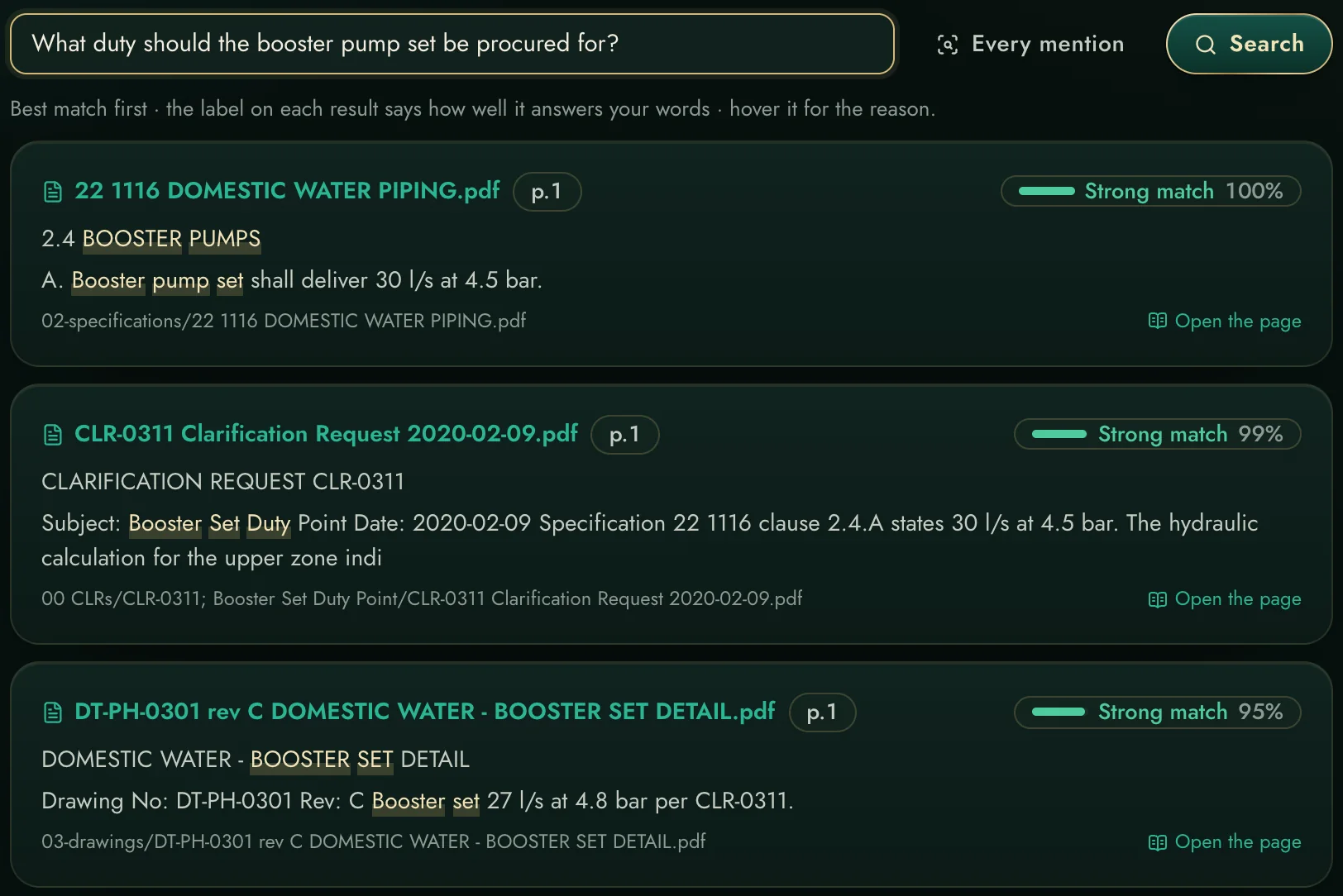
Ask across every indexed document — specifications, drawings, letters, even scans — and get answers that cite the exact page.
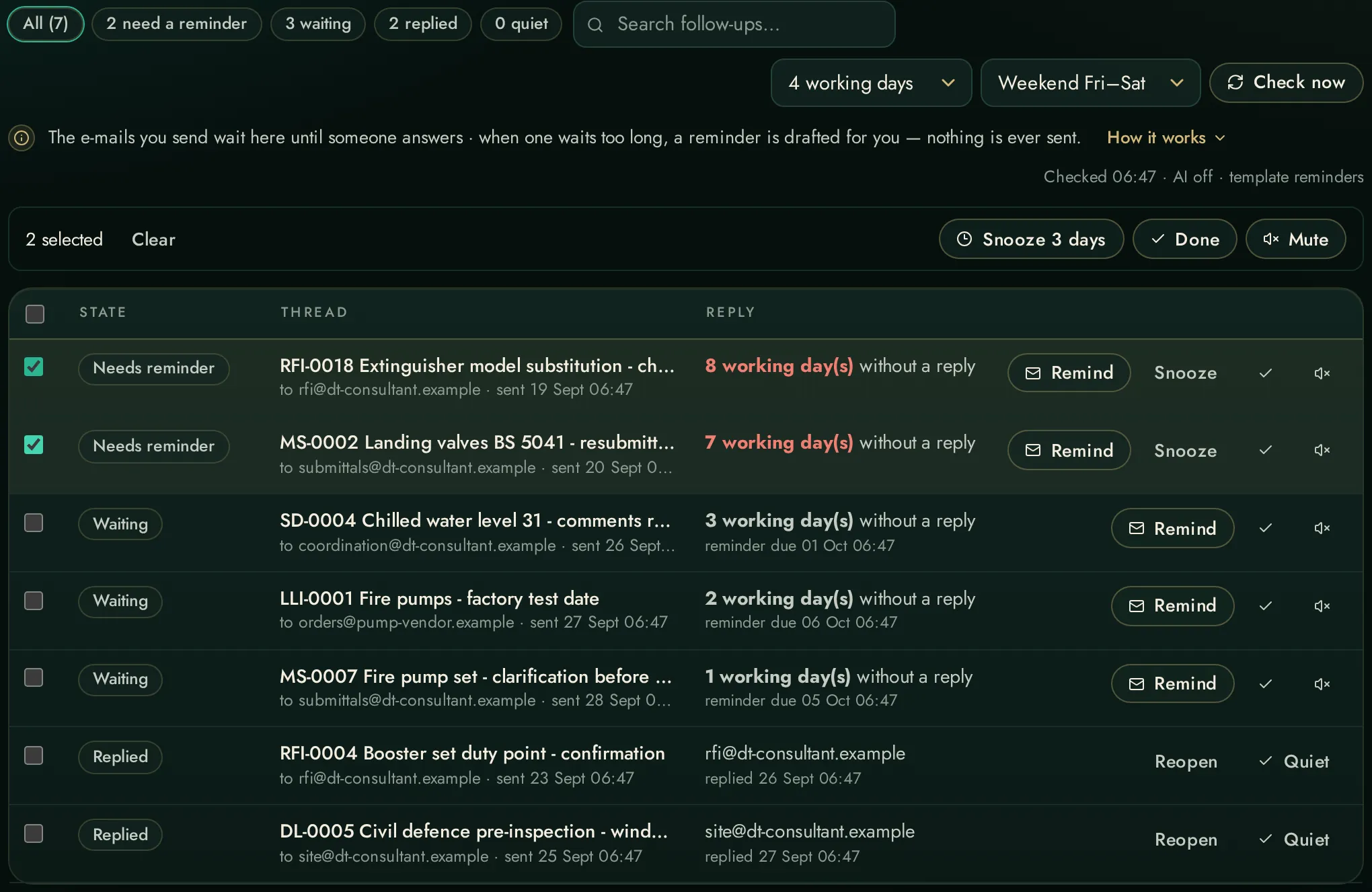
Your sent mail becomes tracked promises: replies detected automatically, chasers drafted, working days counted on your weekend.
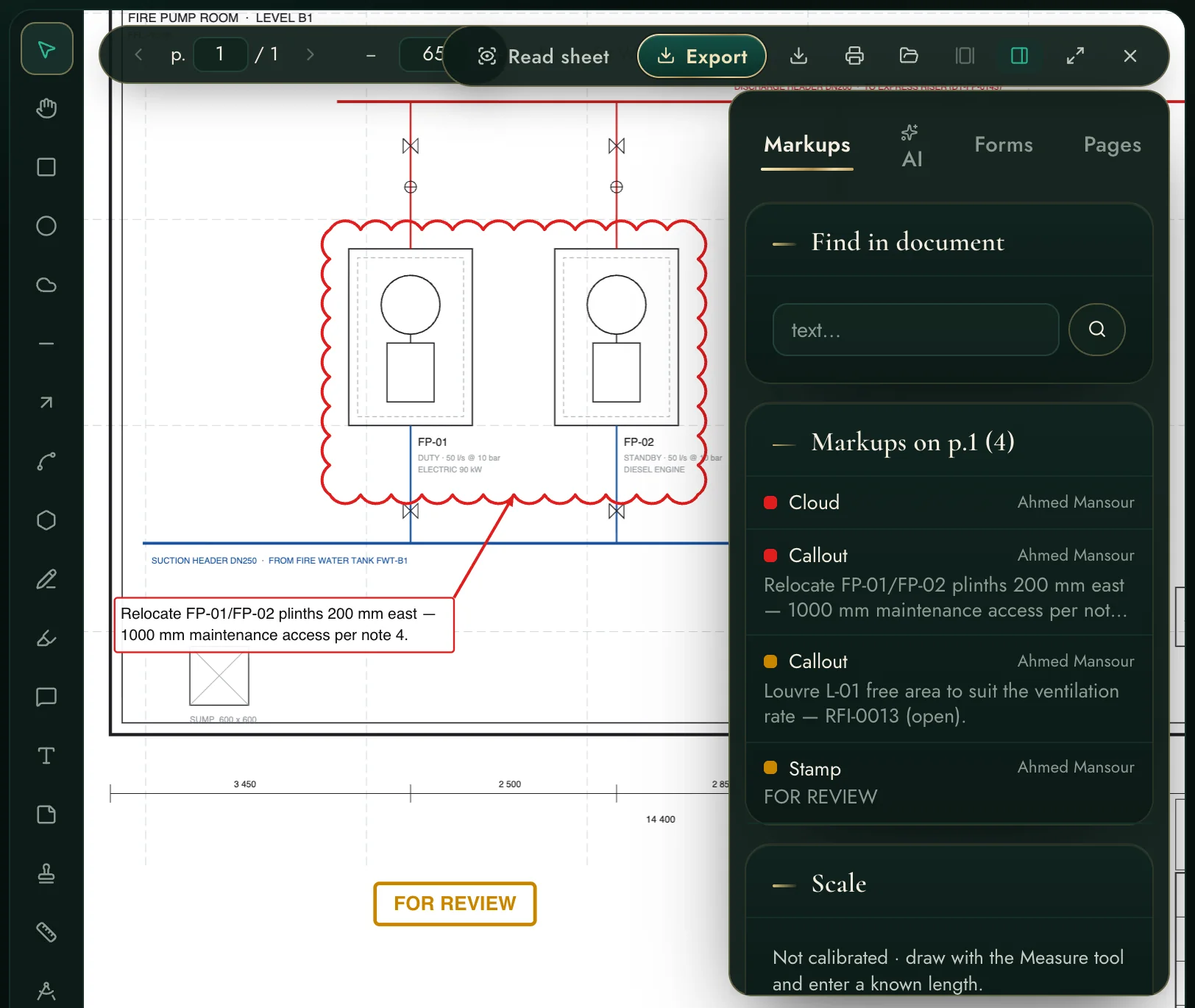
Mark up PDF drawings — clouds, callouts, stamps, RFI-linked comments — open DWG/DXF directly, and compare two revisions with every change highlighted.
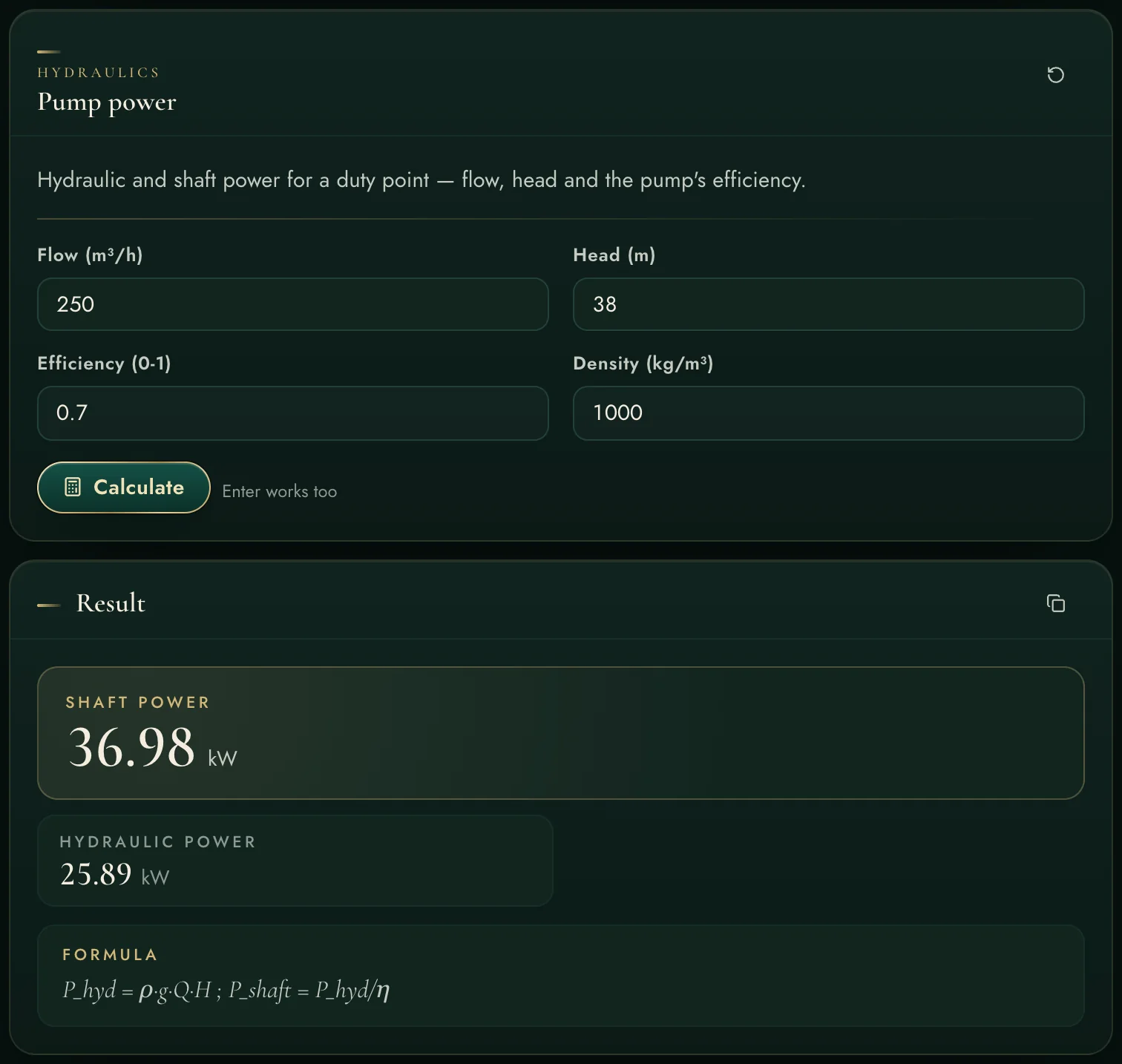
Thirty-five engineering calculators — hydraulics, HVAC, electrical, fire, drainage, plumbing, vertical transport — each showing its formula and its assumptions with the result.
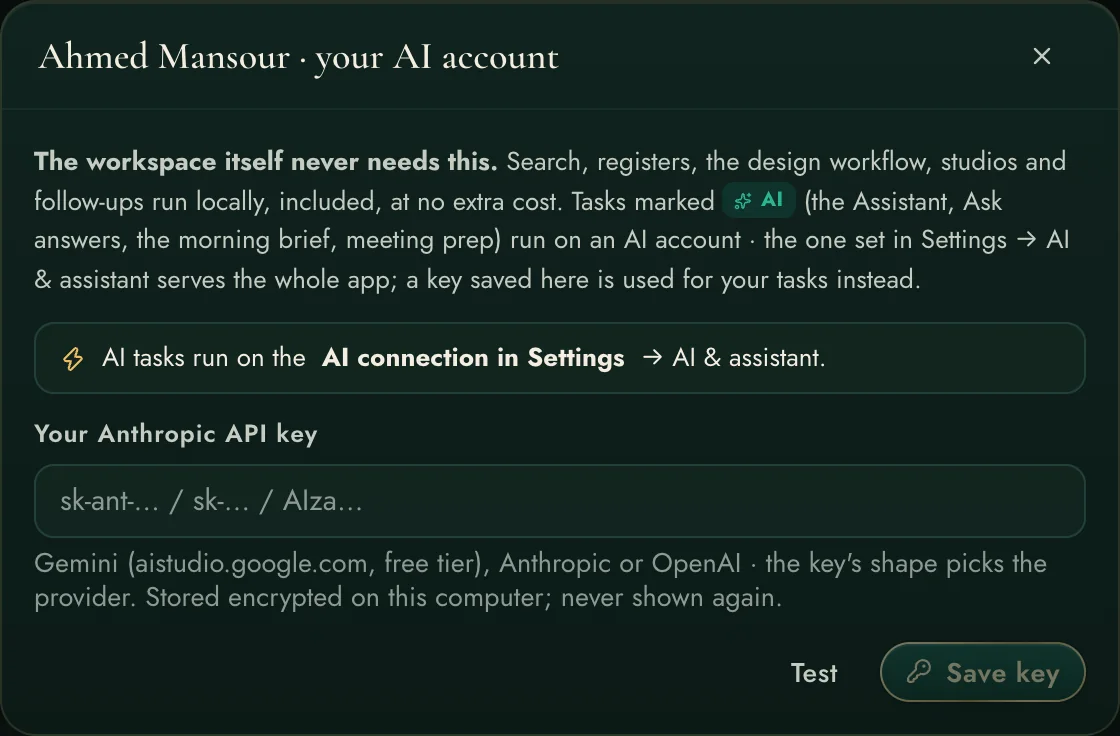
A project-grounded assistant that searches your evidence, calculates with verified formulas and writes deliverables on your letterhead — with per-user AI accounts, badged and billed honestly.
Programme, variations, AI document reviews, multi-project workspaces, client portal, security, backups, automations — the frame that makes the pillars one product.
No slides, no narrator, nothing staged — the real product moving through a real morning: the brief, a question to the archive, the deliverable list, a workflow chain, a claim, a drawing marked up, a calculation, the inbox.
Not features for a brochure — outcomes a delivery director signs their name against.
Design, review and approval chains with named owners and working-day clocks — and the process monitored end to end, so a defect in the flow (a step sat on, a chain skipped, a code unrecorded) is seen and fixed, never suffered silently.
Drawings, registers, mail, calculators, search and AI in one place, one login, one record. The hours your engineers lose switching, exporting and re-finding come back as engineering.
The scope of work tracked item by item, every variation registered the day it appears, and consultant comments screened automatically for hidden scope — creep is caught while it is still a sentence, not a cost.
The claims ledger builds entitlement evidence from the registers you already keep: held-vs-allowed clocks, notice windows, excess days — and every exhibit cites its documents, dates and references.
72,000+ documents indexed locally answer in seconds with the page cited — and AI composes, drafts and reviews on top of that evidence. Intelligence with receipts, at zero cost per question.
Schedule control, variations, email, calendar and notifications — with registers, drawings, workflows and claims — one platform on your own hardware. No module gaps, no second subscription.
Most engineering offices sit on tens of thousands of PDFs, drawings and letters that only answer when someone remembers where to look. The workspace reads them all — once — and turns them into a knowledge base that answers in seconds, with the page number to prove it.
One question — “chilled water riser insulation thickness” — and the workspace lines up the specification clause, the consultant's reply, the drawing legend and the condensation calculation. Four documents, four page numbers, three seconds.

Measured against the engineering software an office actually buys: the per-seat markup application, and the per-user construction cloud. They are good tools. They are also islands — and the work lives in the gaps between them.
| Engineering Workspace | The markup suite | The construction cloud | |
|---|---|---|---|
| Checks what you are about to SEND against the specification it cites | ✓ | ✗ | ✗ |
| Finds the clause elsewhere in the same section that contradicts your proposal | ✓ reads the whole section | ✗ | ✗ |
| Standing register: which code editions the contract binds vs what is on the shelf | ✓ | ✗ | ✗ |
| Requirements inside one specification that cannot both be satisfied, found automatically | ✓ | ✗ | ✗ |
| “Has the Engineer ruled on this before?” answered from your own correspondence | ✓ | ✗ | △ keyword search only |
| A site photograph checked against the APPROVED SUBMITTAL, not a generic checklist | ✓ | ✗ | △ checklist inspections |
| Speak a snag on site and it files itself as the right kind of record | ✓ on-device, no AI account | ✗ | △ typed forms |
| Head-office view across every job: turnaround, return reasons, repeat conflicts | ✓ | ✗ | △ dashboards, not causes |
| How long this project actually takes to answer, measured from your own record | ✓ | ✗ | △ reports, not entitlement |
| Design sign-off chains with codes A–D, delegation, batch actions, escalation | ✓ | ✗ | △ generic review steps |
| Scope tracked, variations registered — scope creep caught early | ✓ with comment screening | ✗ | △ change logs only |
| Registers feeding a claims entitlement ledger automatically | ✓ | ✗ | △ logs, no entitlement clocks |
| 35 verified engineering calculators inside the workspace | ✓ | ✗ | ✗ |
| Ask the whole project archive — answers cite the exact page, engine runs locally | ✓ no per-question cost | ✗ | △ their cloud AI, extra cost |
| Outlook integrated: replies detected, chasers drafted, working-day clocks | ✓ | ✗ | ✗ notifications only |
| PDF markup studio — clouds, callouts, stamps, measure, count | ✓ built-in | ✓ its core, per seat | △ viewer-grade |
| Open DWG/DXF drawings in the browser | ✓ | △ separate product | △ view only |
| Arabic letters and scanned documents readable and searchable | ✓ | ✗ | △ |
| Schedule, variations, email, calendar and notifications — one platform | ✓ | ✗ | △ separate modules, separate prices |
| Runs on your hardware — your documents never live in someone's cloud | ✓ one workspace | △ desktop, per seat | ✗ per user / month |
| Teaches itself: guided tour, manual, living demo project | ✓ | △ training courses | △ |
△ = partly, with effort or extra cost. This is about integration, not disrespect: here the markup, the mail, the registers, the calculators and the AI share one project record on one server you own — that is the feature the others cannot add.
First sign-in opens a one-minute guided tour that walks the real navigation, role-aware. Behind it: a full manual, exact how-to hints on every settings card, and a living demo project to practise on safely.
See the assistant & AI accounts →
Request a trial and we create you a personal account on a live workspace — inside a realistic demo project with drawings, registers, workflows and claims already moving. Every trial is approved by a person; once approved, your sign-in details arrive by e-mail, usually within a day.
Already have an account? Open the app →