The on-site film: speak a snag, and the paper meets the wall.
An operating system, not an app bundle
Multi-project workspaces, roles that mean something, automations that sweep hourly, an audit trail that remembers — and an onboarding tour so nobody needs a training course.
Every pillar shares one project record
Hourly automations chase so people don't have to
The guided tour teaches each role its own app
The head-office film: across projects, and the client portal your company controls.
Administration without a consultant
Settings are organised into plain sections with a getting-started checklist, exact how-to hints on every card, and growth tools — demo project, value report, security one-pager — built in.
Getting-started checklist walks the workspace to ready
Every settings card carries exact click-paths
Demo project + trial pinning for safe prospect demos
Every capability, declared
The complete list.
The rest of the platform, page by page.
More pillars
ProgrammeThe Primavera P6 programme imported and viewed beside delivery — plan and record in one place, with a three-week look-ahead and the critical path.
Before the pourThe concrete pouring plan held against the shop drawings and submittals that must be approved before each date, flagged the days early you choose. The whole board →
Handover dossierCloseout obligations counted from the specification clauses themselves and set against what is actually filed — long before the month the building is due.
Scope & VariationsA variation register plus a commercial radar that screens consultant comments for hidden entitlement.
ReviewsAI document review against the specifications — comment drafts with citations, an engineer approves.
On siteSpeak a snag and it files itself as the right record; site photos checked against the approved submittal, not a generic checklist.
Before you sendThe outbound gate: every draft checked against the clauses it relies on before it leaves.
CompareAny two document revisions overlaid — removed in red, added in teal — beyond the automatic workflow compares.
Across projectsThe head-office view over every workspace project: turnaround, return reasons, repeat conflicts.
NotesQuick notes next to the work, plus the pages you write in OneNote or Apple Notes — iPad handwriting included — turned into actions.
History & JobsEvery background job visible with progress; every action in the audit trail.
Workspace
Multi-projectEach project keeps its own knowledge base, index, registers and workflows; switching re-points everything.
Project archiveRetire a project to a dated archive folder — documents, index and a database export — restorable.
Notifications centreEvery completion, arrival and escalation — in-app, and to your phone if you enable push.
Client portal, company-controlledA client sign-in reaches one read-only progress page and nothing else — and YOUR company decides exactly what it shows: every section, the plan comparison, individual disciplines, the transmittal count, even the welcome note. A figure you switch off is never sent, not merely hidden.
The app's own menuRight-click anywhere for the app's own menu — the editing a text box expects, the window's own actions on the title bar — and PDFs open in the app's own viewer, with a zoom and words you can select, copy, search or ask about.
Arabic-readyThe interface ships with an Arabic RTL option; the engine reads Arabic documents natively.
Trust
Sign-in alwaysNo anonymous access; rate-limited logins; two-factor enforced for administrators of a shared workspace.
Project-pinned accountsTrial and demo users locked to one project — your live projects do not exist for them.
Roles enforced at the server, not the screenFive roles — owner, admin, engineer, management, client. What a role may not see is never sent to their browser at all, so a typed address reveals nothing. Audited by signing in as each one and looking.
The owner's own machine stays the owner'sMail, calendar and notes read from the computer the workspace runs on belong to the owner alone · not to the admin role. An administrator can run the whole company here and never see them.
Encrypted per-user secretsMail sign-ins and AI keys encrypted at rest, per person.
Signed updatesUpdate packages must carry a valid signature to install.
BackupsScheduled local backups plus an encrypted nightly cloud backup of the app record.
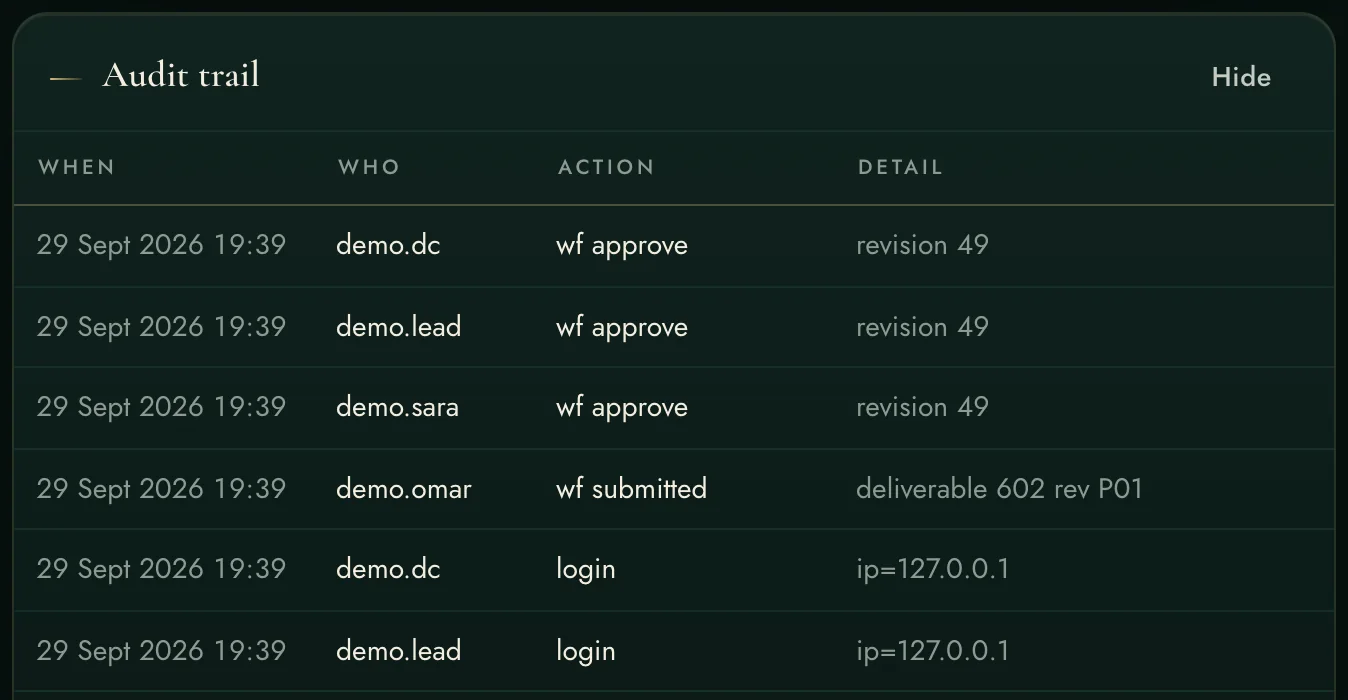
Audit trailLogins, changes, approvals, substitutions, escalations — permanent and searchable.
Connections
Outlook / Microsoft 365Per-user sign-in for mail, calendar and OneDrive, and for a SharePoint or OneDrive file a register follows — tokens encrypted per user.
Autodesk Construction CloudEach user signs in to their OWN ACC account on Autodesk's site; the workspace never holds anyone's Autodesk password.
PortalsSupervised fetch from consultant portals; downloads land in an intake queue.
FeedsToken-secured calendar and BI feeds for the tools your office already uses.
MCP both waysYour AI agents can plug INTO the workspace, and the workspace can call external agent tools — the AI layer multiplies.
AutomationsHourly sweeps (follow-ups, escalations) and a weekly digest — visible, adjustable, off-switchable.
Against the field — the platform
One integrated record on hardware you own, one workspace price
Two or three subscriptions, per seat per month, forever
Fri–Sat weekends, Arabic documents, GCC reality built in
Localisation as an afterthought
Teaches itself: tour + manual + demo project
Admin certification courses and consultants
"The field" is the usual toolchain — the per-user construction cloud and the separate applications around it. Good tools; the difference here is one integrated record, on your own server.
Install it and begin — free for 14 days.
Nothing to request and nobody to wait for: download it, install it, and the 14-day evaluation starts by itself the first time it opens.