In depth

The Dashboard

Your day starts on one page: how healthy the project is, what needs you first, and why — with every number clickable to its source.

A front page that thinks

The health score is not a decoration — hover it and it shows exactly how it is scored. KPI tiles carry real day-by-day sparklines, the delivery S-curve sits beside a next-7-days strip that knows your weekend, and the whole layout reorders per account.
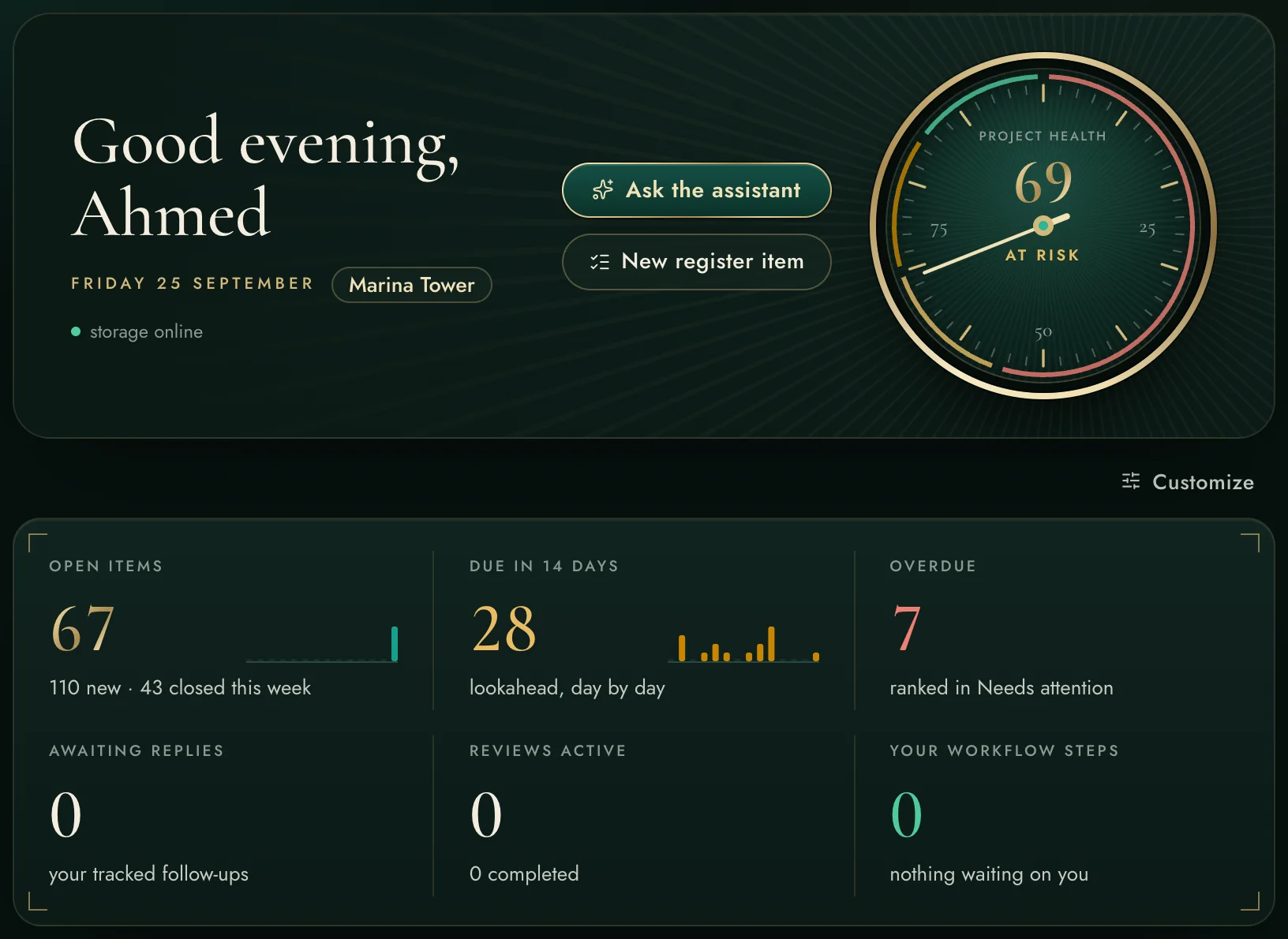
Explainable project-health score
Customisable blocks, per user
Live over WebSocket — no refreshing
A front page that thinks
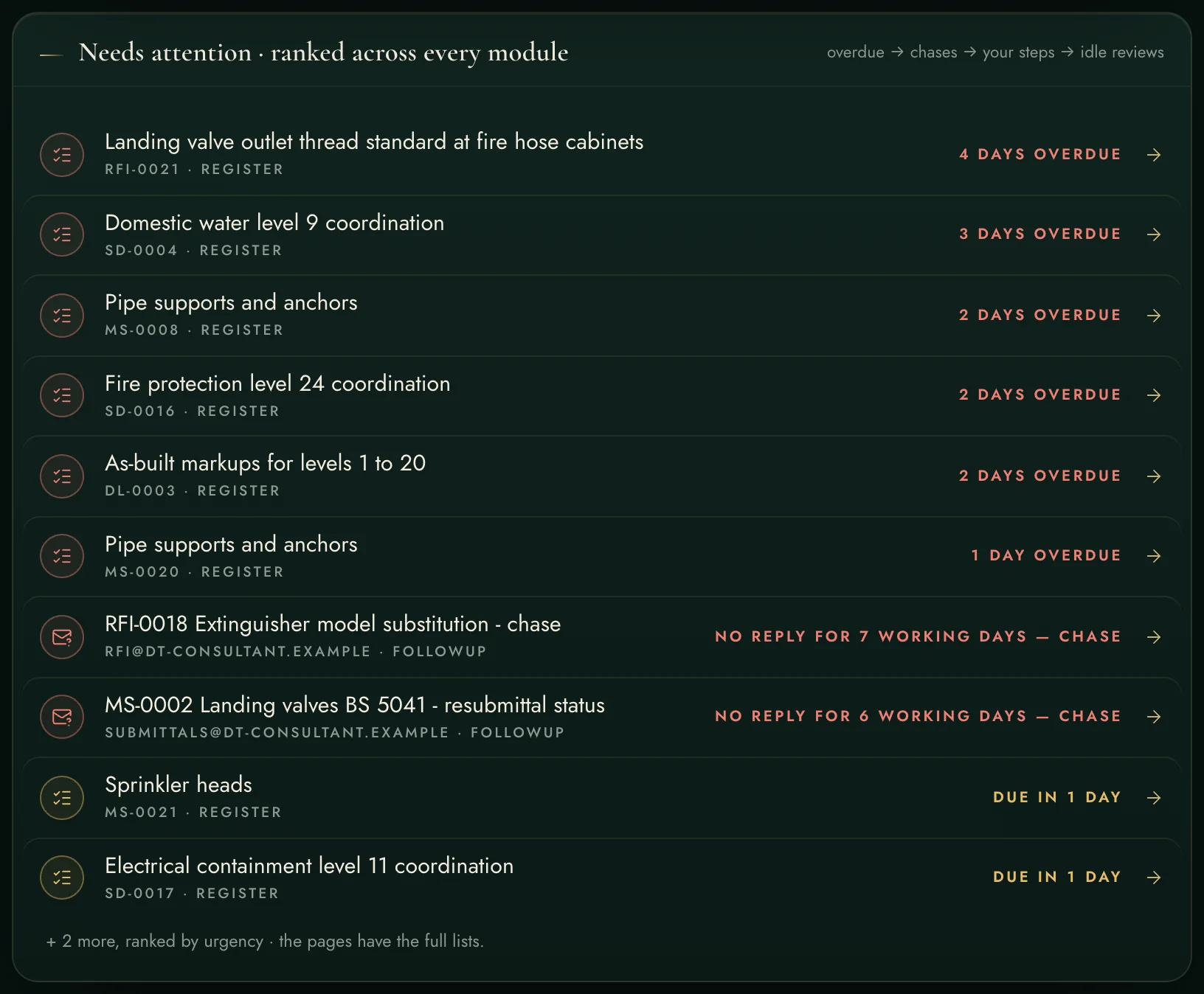
One ranked list across every module
The attention feed — the whole project's 'what needs me', ranked.

One ranked list across every module

Overdue register items, follow-ups waiting too long, your own workflow steps, idle reviews, unscreened consultant comments — ranked by urgency in one feed. Click a row and you land on the item itself.

Ranked: overdue → chases → your steps → idle reviews
Every row deep-links to the exact item

The morning brief — an AI task, clearly labelled

Three sharp sentences written from your real numbers: the most urgent thing, the week's momentum, one concrete action. It runs on an AI account — yours or the workspace's — and when none is connected the dashboard says so politely and everything else keeps working.

Cached per day, per user, per project
Never mistaken for an error — AI tasks are badged
The morning brief — an AI task, clearly labelled
Health ring + assistant actions, cropped from the live screen.
Every capability, declared

The complete list.

Everything the front page does — nothing hidden behind a demo call.

Intelligence

Project-health scoreOne number, fully explainable — hover shows the exact scoring: overdue weight, delivery variance, review idle time.
AI morning brief2–4 sentences from your real numbers; cached per day, per user, per project; refresh rewrites it.
Needs-attention feedOne ranked list across registers, workflows, follow-ups, reviews and consultant comments — urgency-ordered.
Commercial radar lineUnscreened consultant comments flagged — they may hide variation entitlements.

Numbers that move

KPI tiles + sparklinesOpen, due-in-14, overdue, awaiting replies, reviews, your steps — each with a real 14-day sparkline.
Delivery S-curvePlanned vs actual earned progress from the EDL's stage weights.
Next-7-days stripWhat lands each day — and it knows your weekend is not Saturday–Sunday.
My workflow stripYour own pending sign-off steps, one click from acting on them.

Behaviour

Per-user layoutReorder or hide any block; every account keeps its own dashboard.
Live updatesWebSocket push — approvals and arrivals appear without refreshing.
Deep linksEvery row, tile and chip lands on the exact item, never a module home page.
Quick actionsAsk the assistant and new-register-item straight from the hero.
Against the field — the front page
One ranked to-do across registers, mail, workflows and reviews
Each product shows its own module's list — nobody merges the project
Health score you can interrogate
Dashboards show counts; the WHY lives in someone's head
Weekend-aware 7-day lookahead (Fri–Sat native)
Western-calendar assumptions, if any lookahead at all

"The markup suite" is the well-known per-seat PDF application; "the construction cloud" is the big per-user-per-month platform. Both excellent at what they chose — the difference here is one integrated record, on your own server.

See it on a live workspace.

A real account inside a realistic demo project — request it in one minute.
Try the live app →
← Back to the overviewDesign Workflow →