In depth

The Studios

Drawings are where engineering actually happens. The Studios bring markup, CAD and comparison into the same workspace as everything else — no desktop licences, no exports.

A design review, exactly as it happens

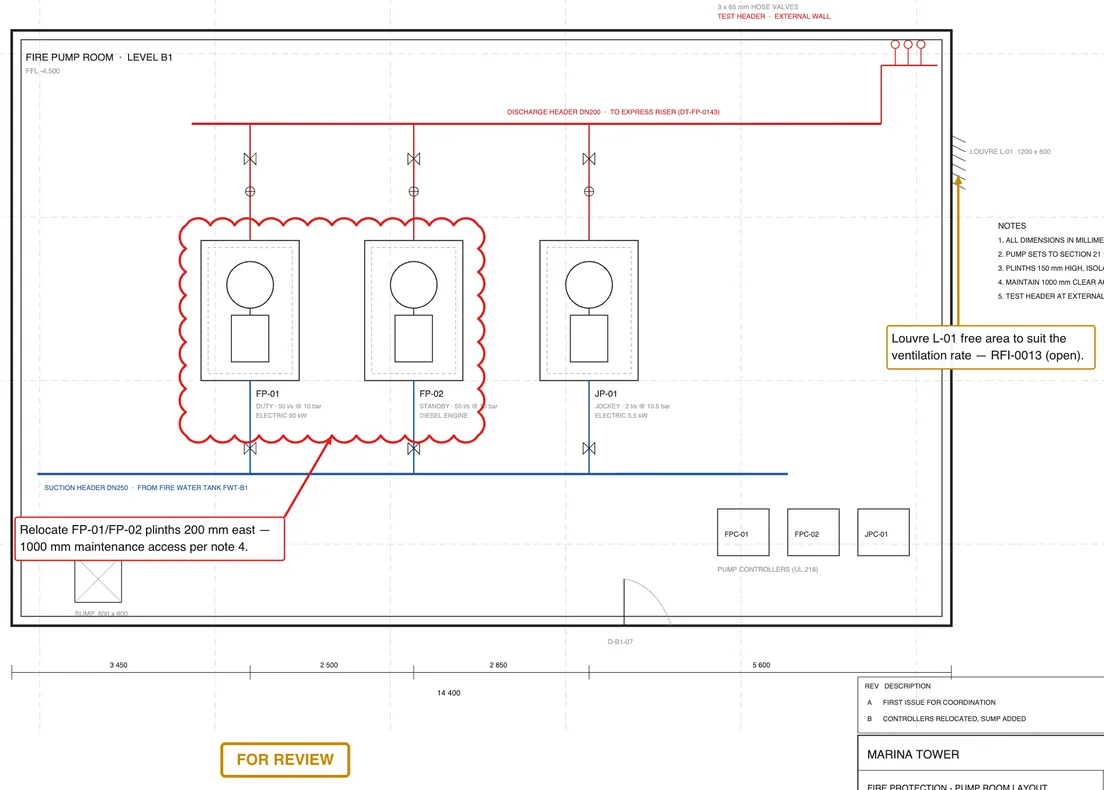
This is the PDF Studio mid-review: a revision cloud around the pumps whose plinths must move, callouts tied to the open RFIs, and a FOR REVIEW stamp — all on the live sheet, listed in the markups rail, saved into the project record.
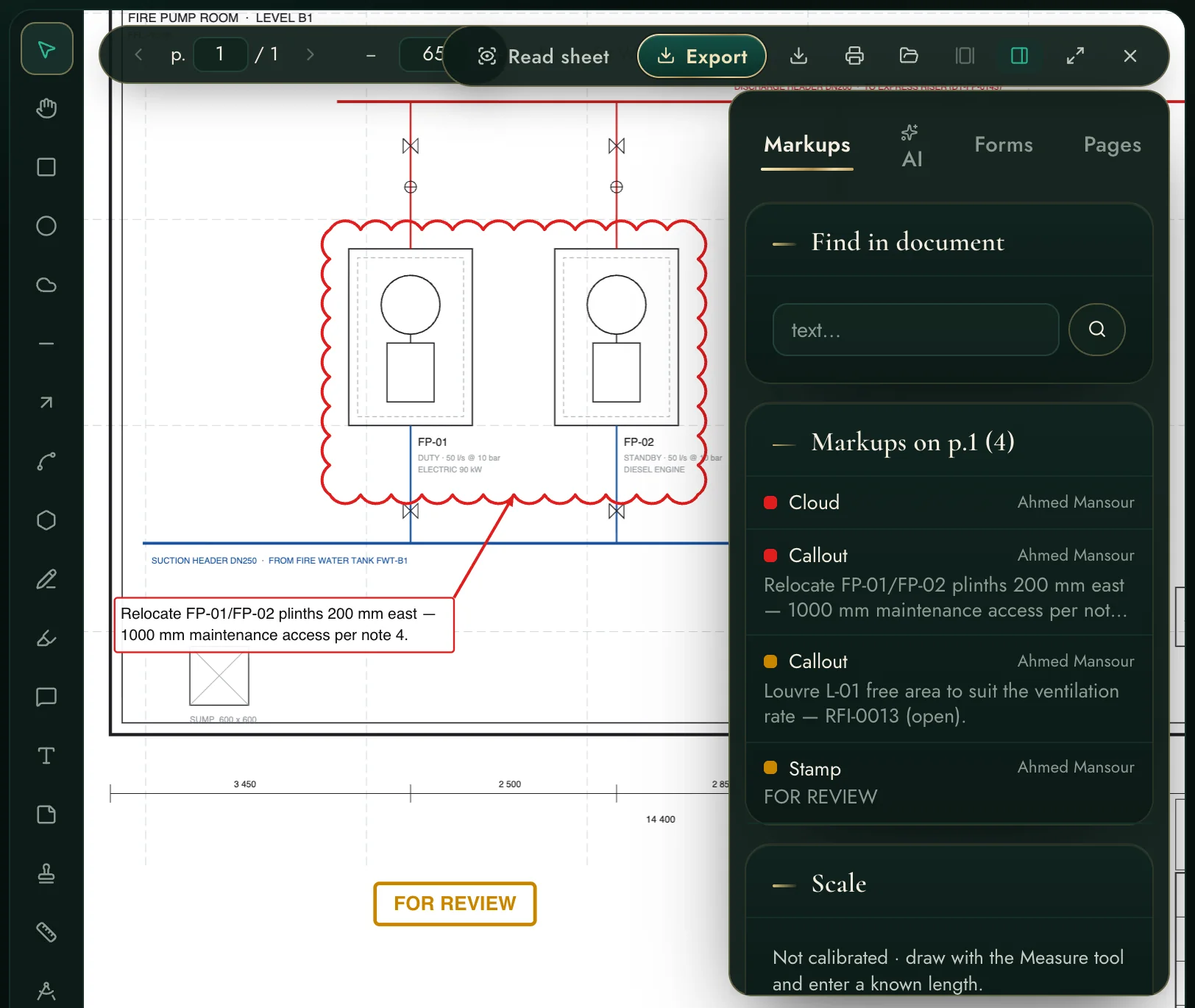
Clouds, callouts, arrows, stamps, text, measurements and counts
Every markup listed, filterable and jumpable in the rail
Find-in-document searches the sheet's own text
A design review, exactly as it happens
Markup that reads like engineering
The sheet up close: revision cloud, leader callouts, the stamp.

Markup that reads like engineering

Comments carry their references — “Relocate CHWP-01/02 plinths 200 mm east — access clearance per RFI-0492” — so the drawing conversation and the register stay one story.

Exports look exactly as drawn — clouds and all
Photos can pin to a location on the sheet

Open from anywhere

Both studios share the workspace's file browsing: the project library, your OneDrive, your mail attachments, or a file from this computer. CAD Studio opens DWG/DXF directly in the browser.
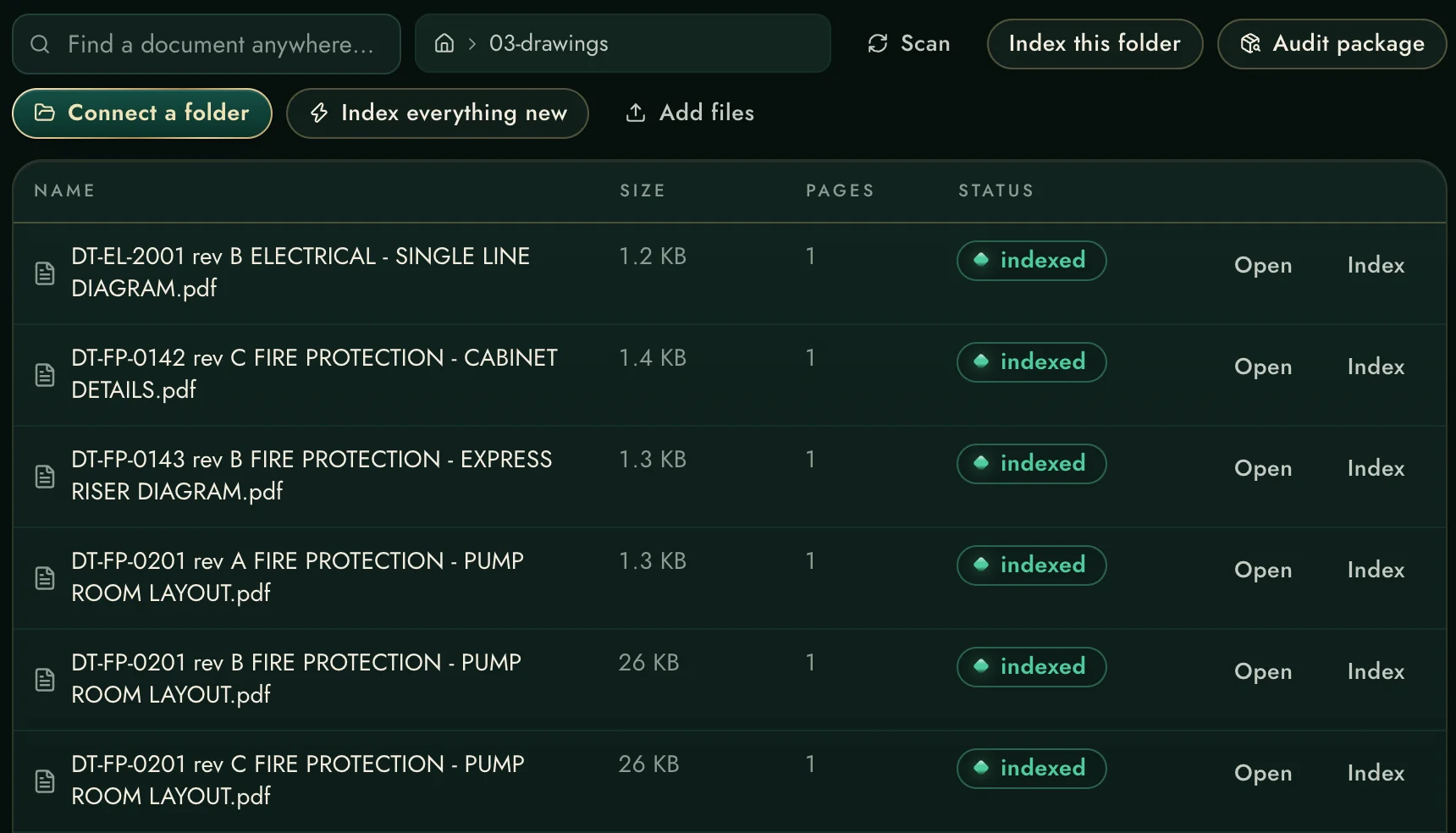
Same file picker in Library and both Studios
DWG/DXF open without AutoCAD
Everything saved back into the project record
Open from anywhere
Compare two revisions, see every change
EDL rows with pending steps — the compare launches from a revision card.

Compare two revisions, see every change

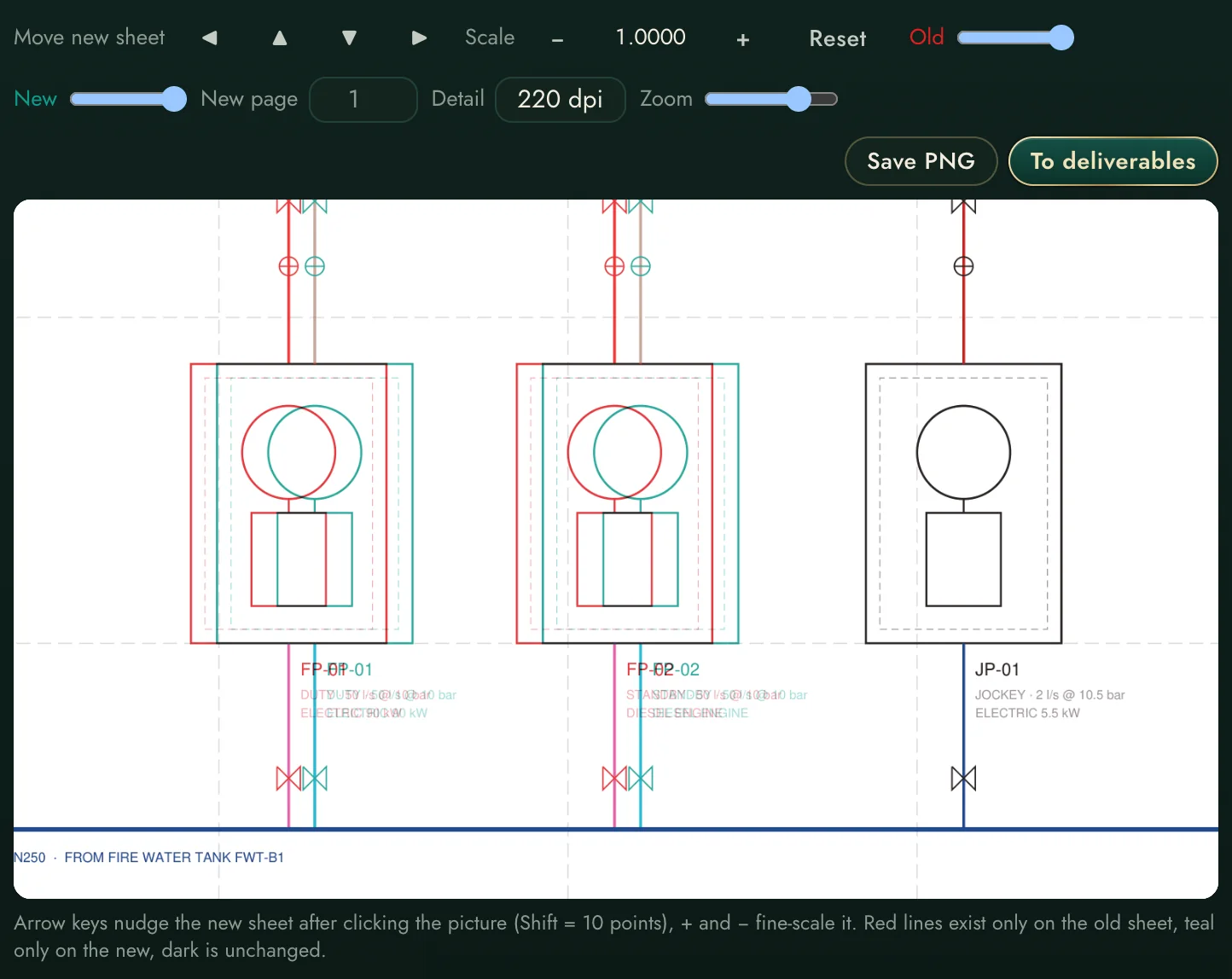
The compare engine overlays two revisions and paints the differences — removed in red, added in teal — and runs automatically when a new revision is submitted on a workflow.

Automatic on workflow submissions
Manual compare for any two PDFs
Result filed to outputs + linked to the deliverable
Every capability, declared

The complete list.

Every markup and drawing capability, named.

Markup tools

ShapesRectangle, ellipse, cloud (real revision clouds), line, arrow, polyline, polygon, freehand ink, highlight.
Words on the sheetText boxes, leader callouts, sticky notes — with font size and colour control.
StampsAPPROVED, REJECTED, REVISED, FOR REVIEW, AS-BUILT, VOID — placed and scaled like any markup.
Photo pinsAttach a photo to a location on the sheet — site condition, meet the drawing.
Colour disciplineSix-colour palette so each reviewer or topic keeps its own colour.

Measure & count

Calibrated measurementDraw a known length once — every measurement after that is in real units.
AreasPolygon areas with the value written on the region.
CountsNumbered count sequences per colour — sprinkler heads, sockets, fixtures — totals kept per sheet.

Working the document

Find in documentSearch the sheet's own text; hits highlighted in place.
Markups railEvery annotation listed, clickable, filterable — the review summary writes itself.
Forms & linksPDF form fields and page links respected.
AI reads the sheetThe vision rail reads title blocks, legends and scanned content on demand.
Tabs + deep linksSeveral documents open at once; a URL opens a specific document and page.
Exact exportThe exported PDF looks exactly like the screen — clouds, callouts, stamps flattened in place.

CAD & compare

DWG/DXF in the browserCAD Studio opens native CAD files without AutoCAD on the machine.
Automatic conversionServer-side DWG→DXF conversion picks its own path (no GUI tools needed).
Revision compareTwo PDFs overlaid: removed in red, added in teal, common in grey — auto-run on workflow submissions.
Filed resultsCompare outputs saved as PDFs into the project's outputs, linked to the deliverable.
Against the field — drawings
Markup + registers + mail + workflow on ONE record
Superb markup — in an island; the RFI lives somewhere else
Browser-based; nothing to install, nothing per seat
Desktop installs, per-seat licences, version drift
Compare runs itself on every submission
Manual overlay when someone remembers

"The markup suite" is the well-known per-seat PDF application; "the construction cloud" is the big per-user-per-month platform. Both excellent at what they chose — the difference here is one integrated record, on your own server.

See it on a live workspace.

A real account inside a realistic demo project — request it in one minute.
Try the live app →
← Mail & Follow-upsCalculators →