Engineering Workspace / Registers & Claims
IIDesign control

Registers & Claims

RFIs, submittals, shop drawings, risks: one consistent grid, importable from what you already have — and quietly feeding your entitlement record.

1:36 · WATCHRegisters that work for you, not the other way round
The registers film: import, the approval clock, the chase pack.

Every register, one behaviour

The same grid, filters, column manager and export everywhere. Import an existing export and the columns map themselves, or link the register to the Excel file it is kept in and it follows each new revision; the approval clock shows who is holding what, oldest first.
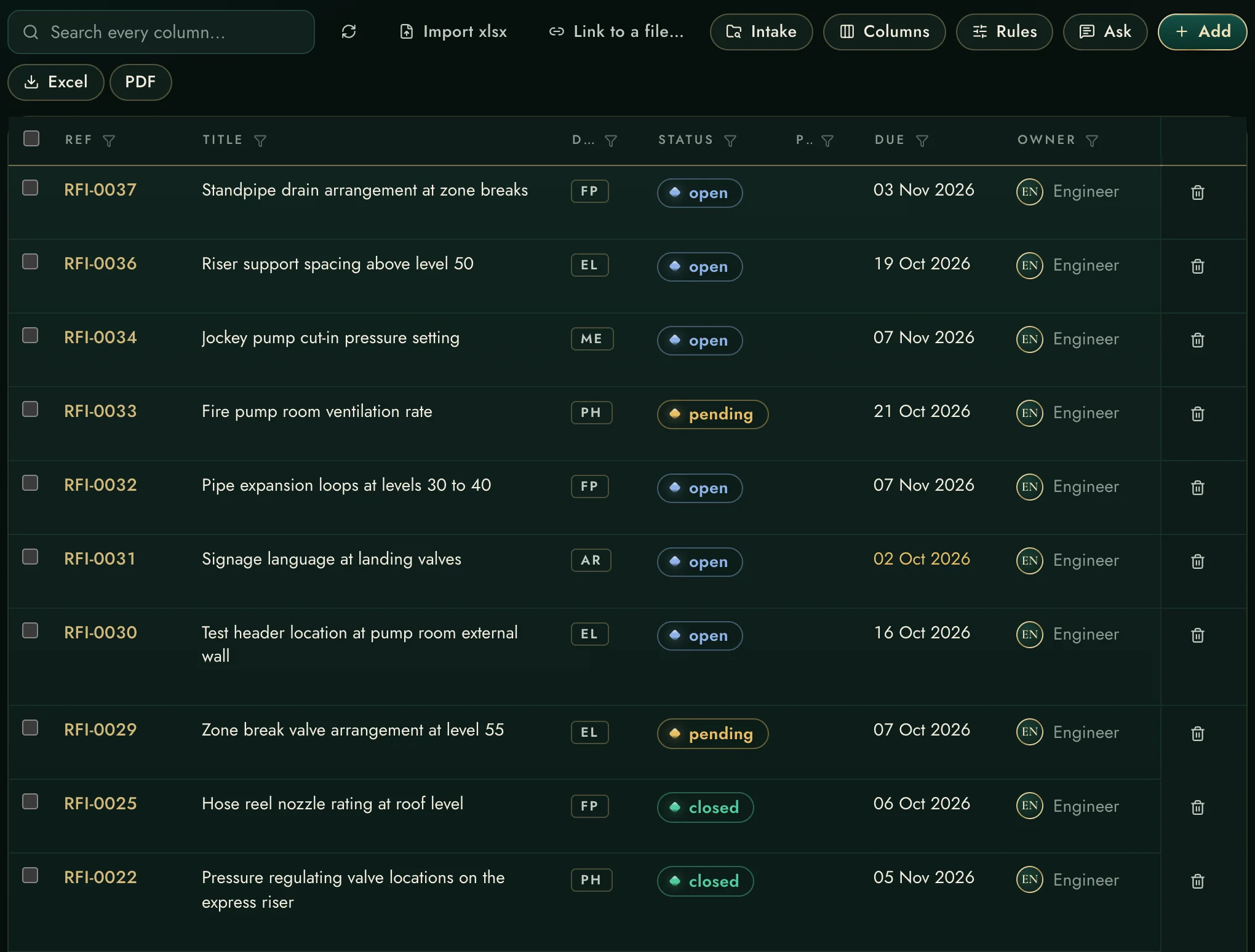
Excel in, Excel/PDF out — the view is the export
Custom columns and rules per register
Chase pack: one press, every overdue item
Every register, one behaviour
The claims ledger — the feature the others don't have

The claims ledger — the feature the others don't have

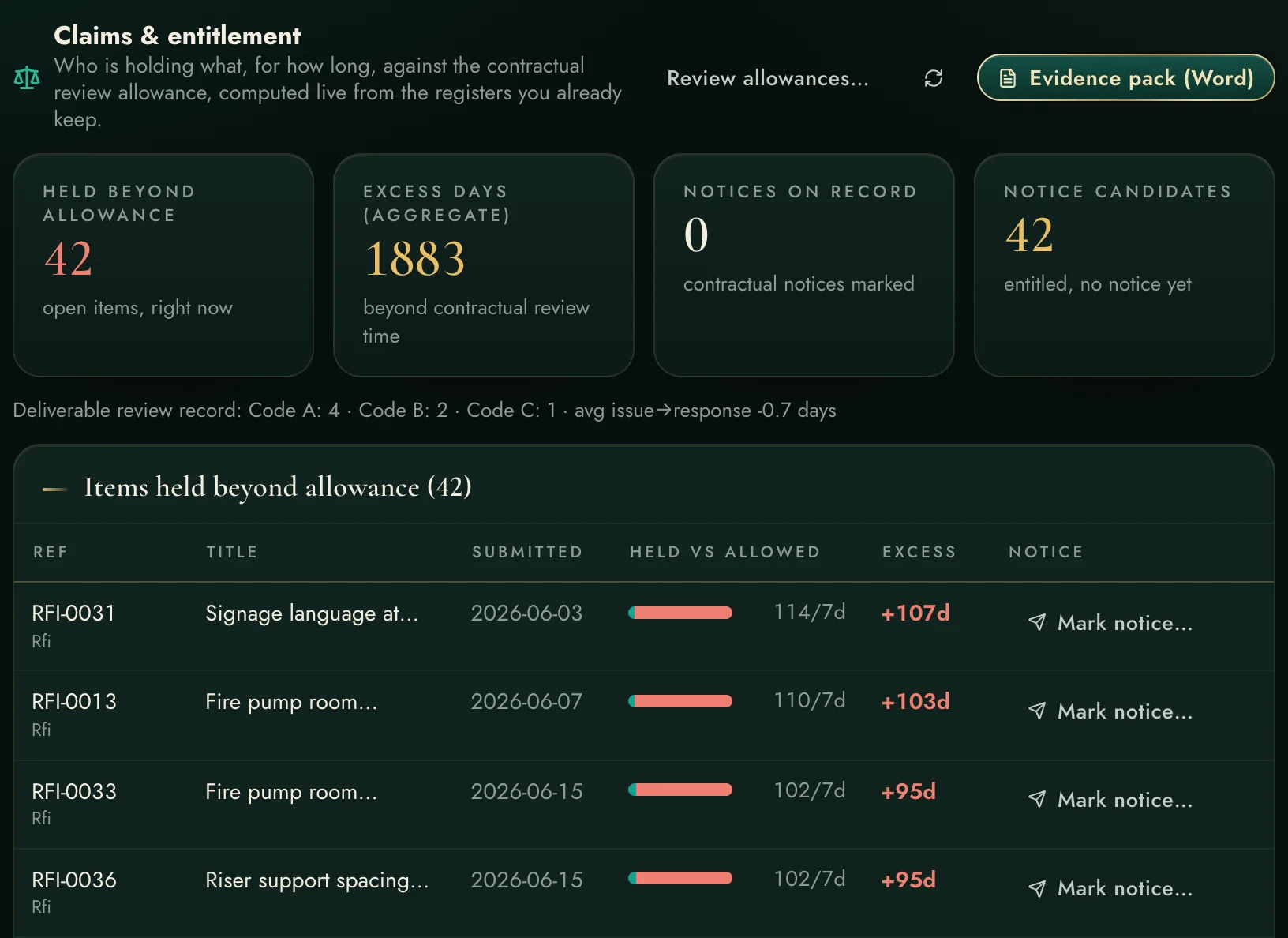
Set the contractual review allowances once. From then on every item is measured against them, live: held-vs-allowed clocks, excess days aggregated, notice windows tracked, and a Word evidence pack on demand.

Computed from the registers you already keep
Notice deadlines — never miss a 28-day clause
Monthly exhibit with dates and references
1:14 · WATCHThe claims file that wrote itself while you worked
The claims film: entitlement evidence recording itself while you work.

Held vs allowed, item by item

Each row carries its own clock: the teal share is the contractual allowance, the red is the overrun. This is contemporaneous evidence kept by software instead of memory.
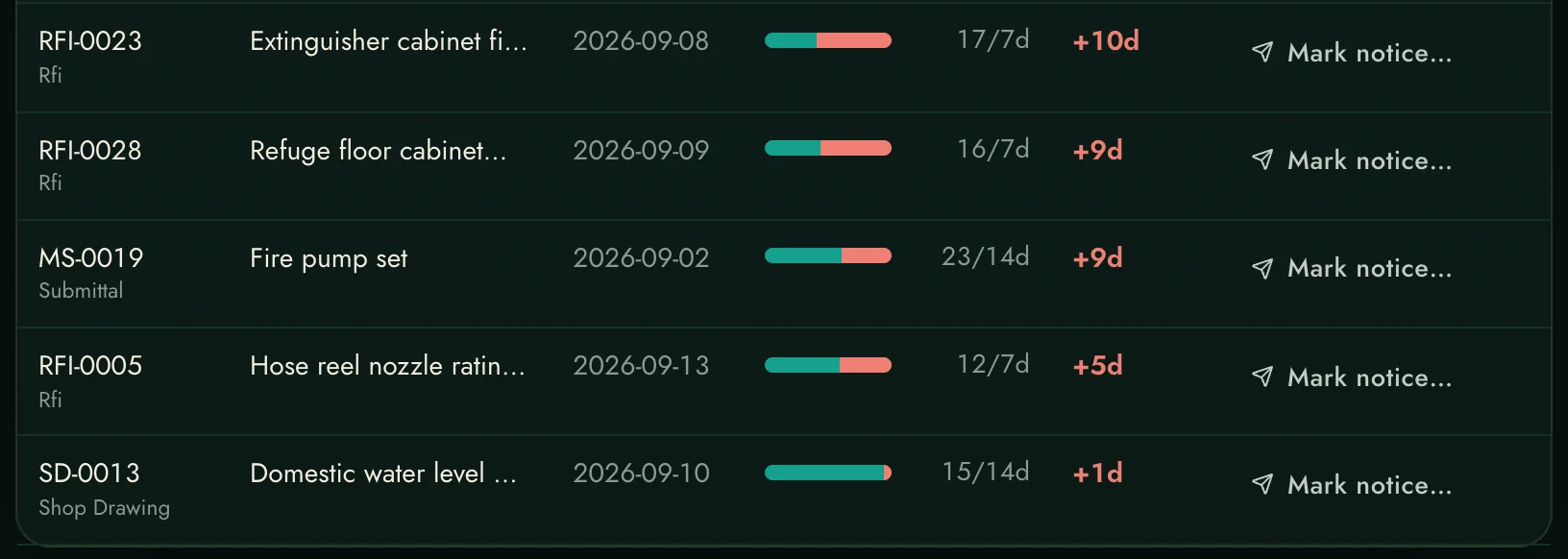
Held vs allowed, item by item
Cropped from the live ledger.
Every capability, declared

The complete list.

Every register capability, and the claims engine underneath.

The grids

Seven register typesRFIs, submittals, shop drawings, long-lead items, risks, deadlines, design issues — one consistent behaviour.
Custom columns & rulesAdd the columns your project speaks; rules keep entries consistent.
Column managerShow, hide, resize — remembered per register, per user.
Facet filters + search-every-columnSlice by any value; the count and the export follow the filter.
A filter the tab opens withSave the filter you set and the register tab opens with it every time, each person their own; Due windows move with the calendar and All open or All closed reads every status by its meaning, so a saved filter stays true. Clear all or Forget whenever you choose.

In and out

Excel import with mappingAconex-style exports map themselves; re-import updates matched rows.
Linked to its Excel fileA register can follow the file it is kept in, on this computer or through a SharePoint or OneDrive link: the same file whenever it is saved, or the newest revision in its folder. Only what changed is written; the register's own notes stay, and a row gone from the file is counted, never deleted.
Logs known for what they areAn RFI or submittal log dropped into Intake is recognised with its rows and brought into its register, never filed as one record.
Excel / PDF exportTicked rows if any, else the filtered view, else everything.
Portal downloads intakeFiles fetched from consultant portals land in an intake queue for filing.
Supervised portal fetchSign in to the portal yourself — the workspace never holds your portal password.

The clock & the chase

Approval clockWho is holding what, oldest first — the meeting agenda writes itself.
Statuses by meaningReplied, Replied with Delay, Approved as noted or Code A count as answered wherever the app counts, and each register can read any status its own way.
Approval stagesShop drawings and submittals counted by stage above the grid — not submitted, under review, approved, revise or rejected — from whatever words the log uses; one press narrows the grid, and the saved filter and the export follow it.
Chase packOne press: a dated chase list of every overdue item, ready to send.
Analytics + custom analyticsAny figure a register can give — from a template, the choices or a formula written the way Excel is written — in eight pictures, every value opening the items behind it; pinned to the Dashboard, with a word when it crosses its target.
Attention feed integrationOverdue register items rank into the dashboard's one list.

Claims & entitlement

Review allowancesContractual review periods per type, set once from the contract.
Held-vs-allowed ledgerEvery open item measured live; excess days aggregate for the claim narrative.
Notice trackingMark the contractual notice per item; closing windows (e.g. 28 days) tracked.
Evidence packOne press: the monthly Word exhibit — items, dates, references, totals.
Review-record tie-inDeliverable response codes and issue→response times join the entitlement story.
Against the field — registers & claims
Registers feeding an entitlement ledger automatically
Logs that record events but never compute entitlement
Notice windows with deadlines tracked per item
A diary note, if the engineer remembered
The filtered view IS the export
Export screens with their own separate logic

"The field" is the usual toolchain — the per-user construction cloud and the separate applications around it. Good tools; the difference here is one integrated record, on your own server.

Install it and begin — free for 14 days.

Nothing to request and nobody to wait for: download it, install it, and the 14-day evaluation starts by itself the first time it opens.
Download and install →
← Design WorkflowBefore the pour →